
loading......

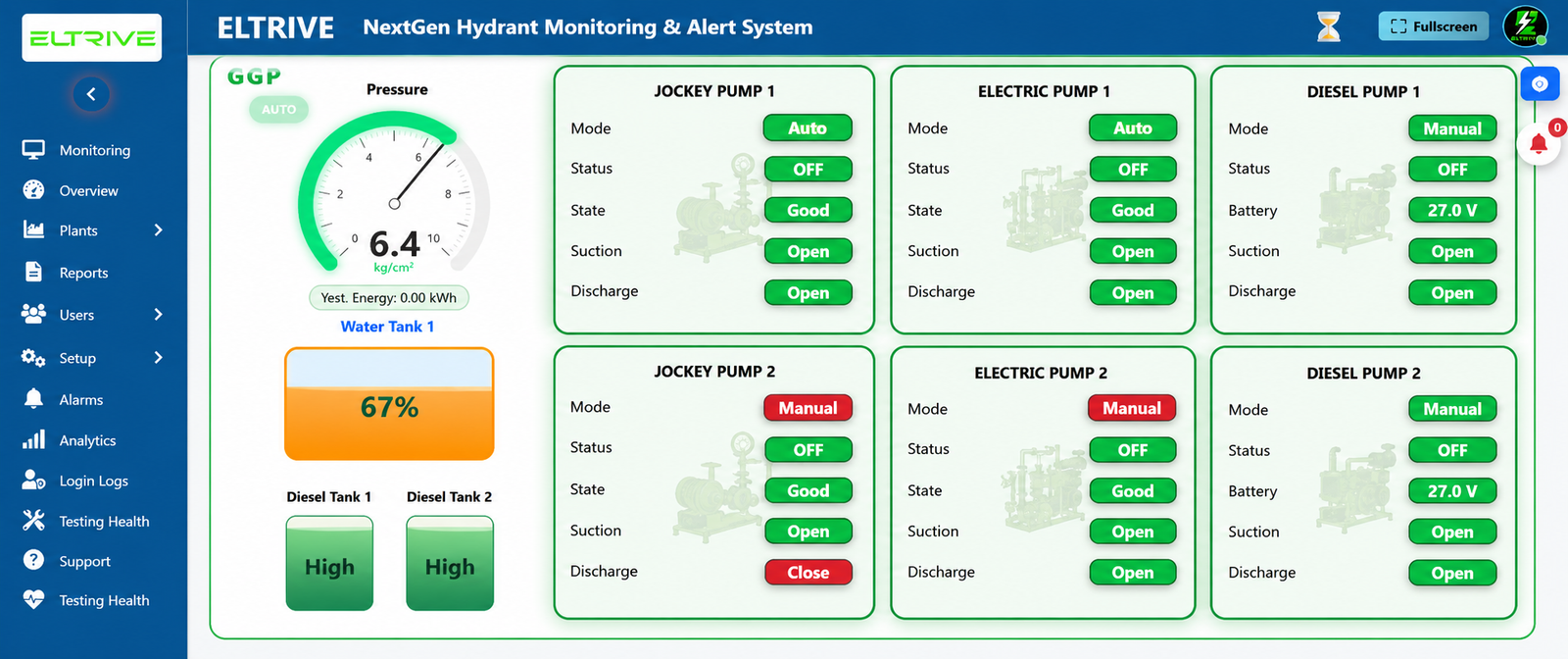
Follow these four simple steps to configure your plant on Eltrive's live monitoring dashboard.
Detailed guide on completing credentials sign-up and device pairing on the dashboard.
How the site administrator reviews, validates, and activates pending accounts.
Contact the Eltrive/SafeHydra administrator to authorize your plant profile and register your physical gateway serial numbers.
Visit g.safehydra.com and enter your designated temporary credentials sent via secure email activation.
Enter on-duty engineer phone numbers, email addresses, and define critical alarm pipelines for SMS/Email notifications.
Input baselines (e.g. 7.5 kg/cm² target) and set threshold offsets to sync local sensor telemetry with cloud dashboards.
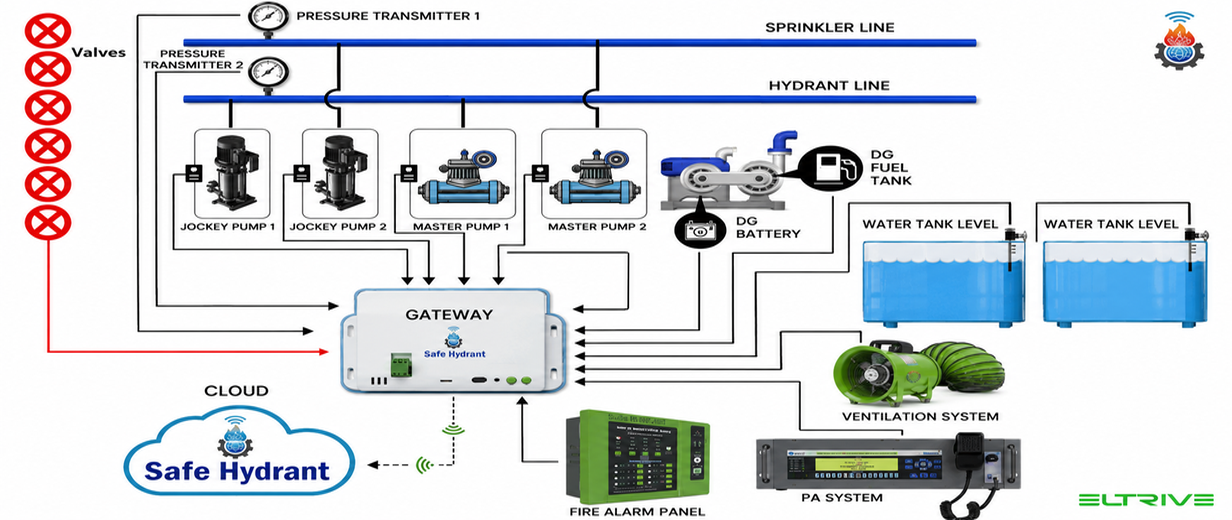
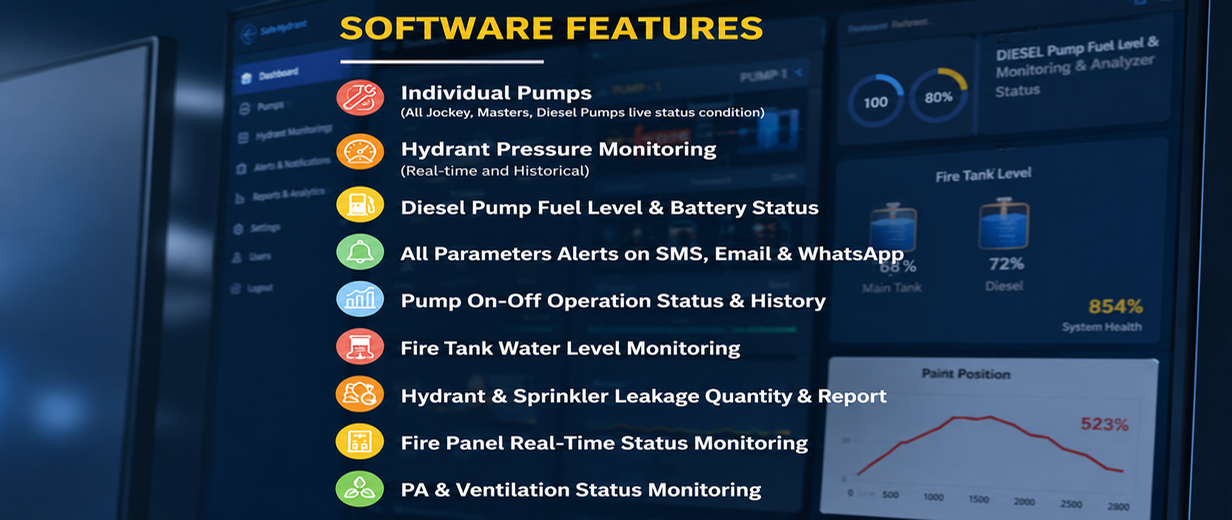
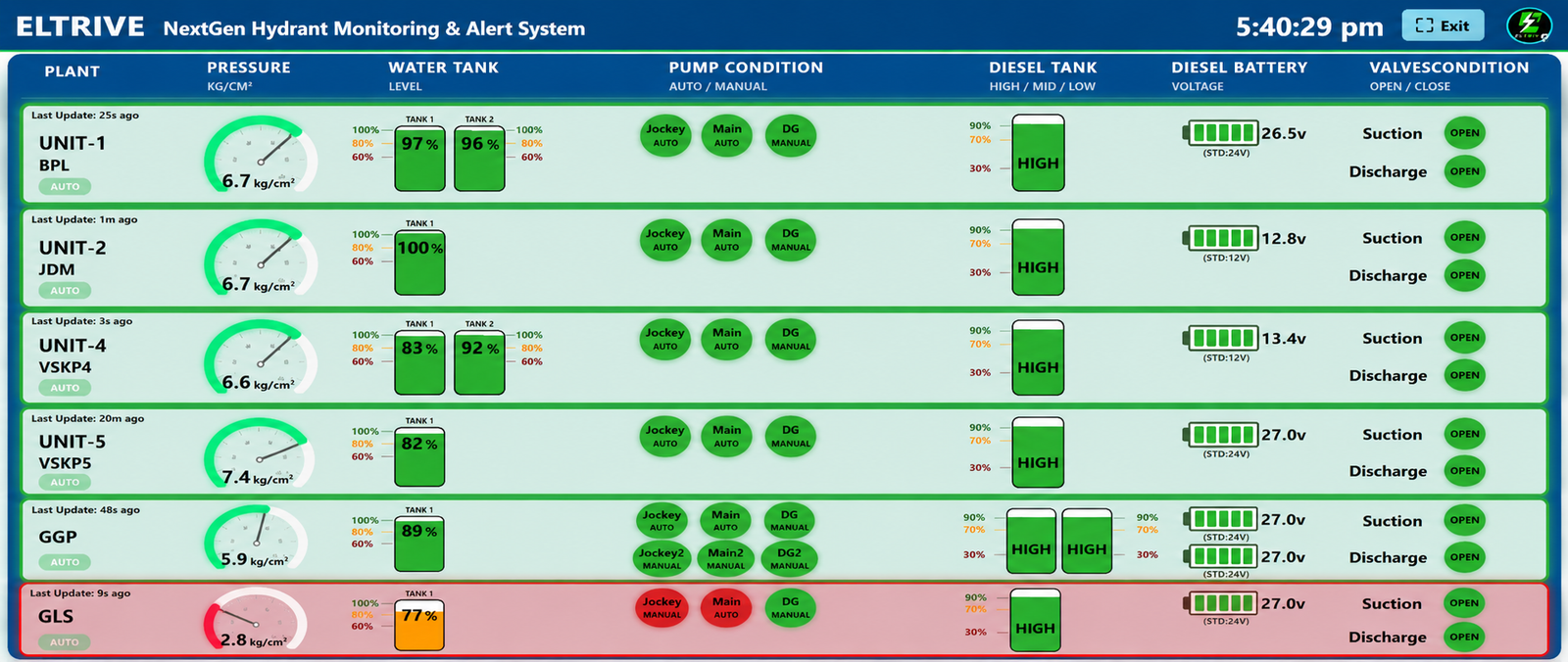
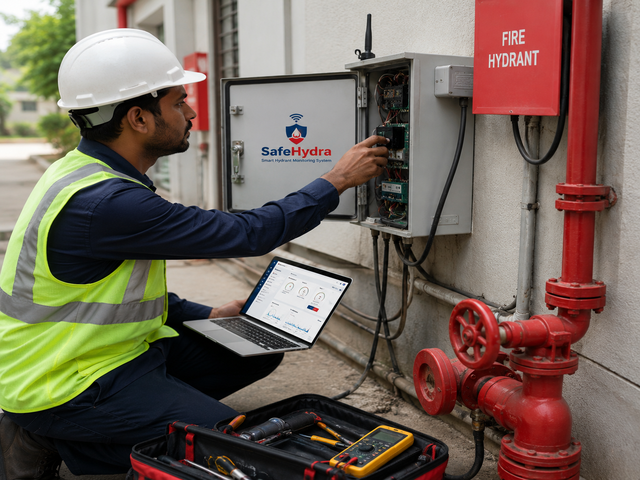
Browse through physical deployments, IIoT transducers, and storage tank level sensor setups across our clients' locations.


Activate your credentials now or consult our engineers to complete your on-site integration.
Access Dashboard Portal